
OCR — Scanned PDF to Text
Turn scanned PDFs into selectable, searchable text in 9 recognition languages (Simplified/Traditional Chinese, English, Japanese, Korean, German, French, Spanish, Portuguese) — export .txt or a searchable PDF. OCR runs locally in your browser via WebAssembly; your document is never uploaded.
- Upload a scan & pick the language
- Local OCR
- Download text or searchable PDF
Drop your file here
or choose from your device — no sign-up needed
Files are processed locally in your browser — never uploaded to any server
Full-release pricing preview: $6.9/mo or $49/yr · 30-day email notice before billing starts · nothing is charged during the beta
What the result looks like
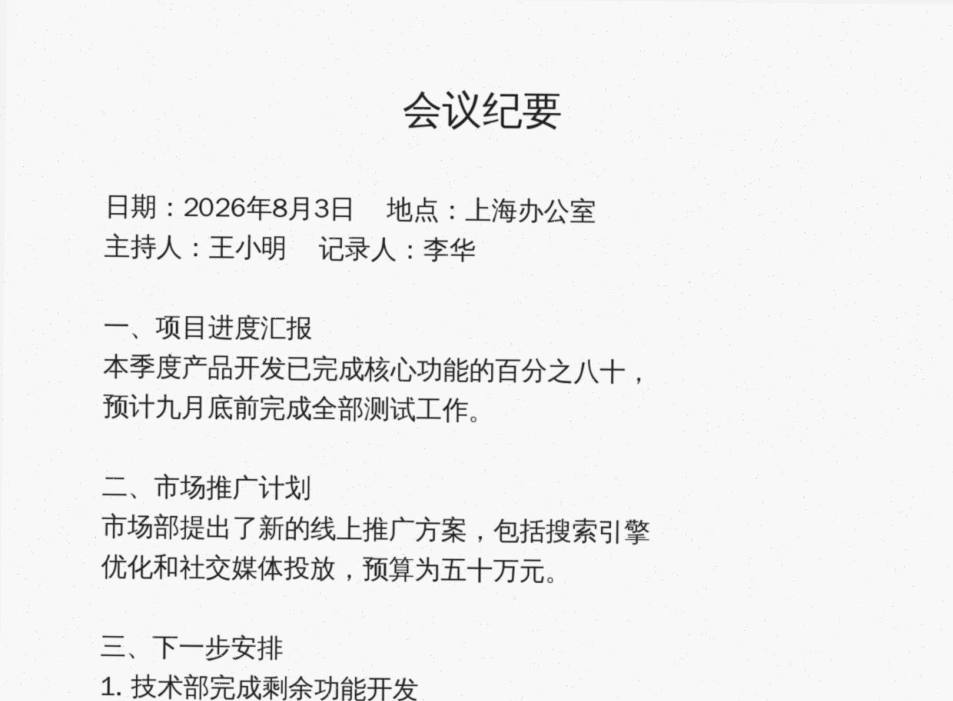
会议纪要
日期: 2026 年 8 月 3 日 ”地点:上海办公室
主持人:王小明 ”记录人:李华
一、项目进度汇报
本季度产品开发已完成核心功能的百分之八十,
预计九月底前完成全部测试工作。
The text above is an unedited excerpt of what our OCR engine actually produced from the sample scan. Click “Try with a sample PDF” above to reproduce it yourself.
How it works (3 steps)
Upload a scan & pick the language
Clear, upright scans work best. Each language model downloads on first use (one-time, a few MB to ~20MB).
Local OCR
Each page is rendered and recognized in your browser with visible per-page progress.
Download text or searchable PDF
Export plain .txt, or a searchable PDF with an invisible text layer over the original scan.
Popular searches
- OCR PDF online free multilingual
- scanned PDF to searchable PDF
- extract text from scanned PDF
FAQ
No. Recognition runs in your browser via WebAssembly (tesseract.js). The language model is fetched from a CDN once; your file never leaves your device.
Try it ↑Good scans of printed text typically recognize well; handwriting and low-quality scans are hit-or-miss. Pick the recognition language that matches your document — a wrong language noticeably hurts accuracy. Always proofread. Failed runs refund your quota automatically.
Try it ↑Your original scan with an invisible text layer on top — it looks identical but you can select, copy and search the text.
Try it ↑No. Any change to a signed PDF (merging, compressing, watermarking…) invalidates the existing digital signature — that is the tamper-proof design of PDF signatures, not a limit of this site. Process first, then sign.
Try it ↑Yes — and you can verify it: the tool runs on open-source in-browser engines (pdf-lib, pdf.js, Tesseract OCR…) on your own device. Open DevTools → Network while processing and you will see no file upload requests.
Try it ↑Related tools
Scanned PDF to Word
Get an editable .docx out of your PDF
Bank Statement PDF to Excel
Upload a bank statement PDF and get a column-aligned .xlsx — date / description / debit / credit / balance exactly as printed, ready for your accounting software
PDF to Images
Render each PDF page as a JPG or PNG image and download everything as one zip