
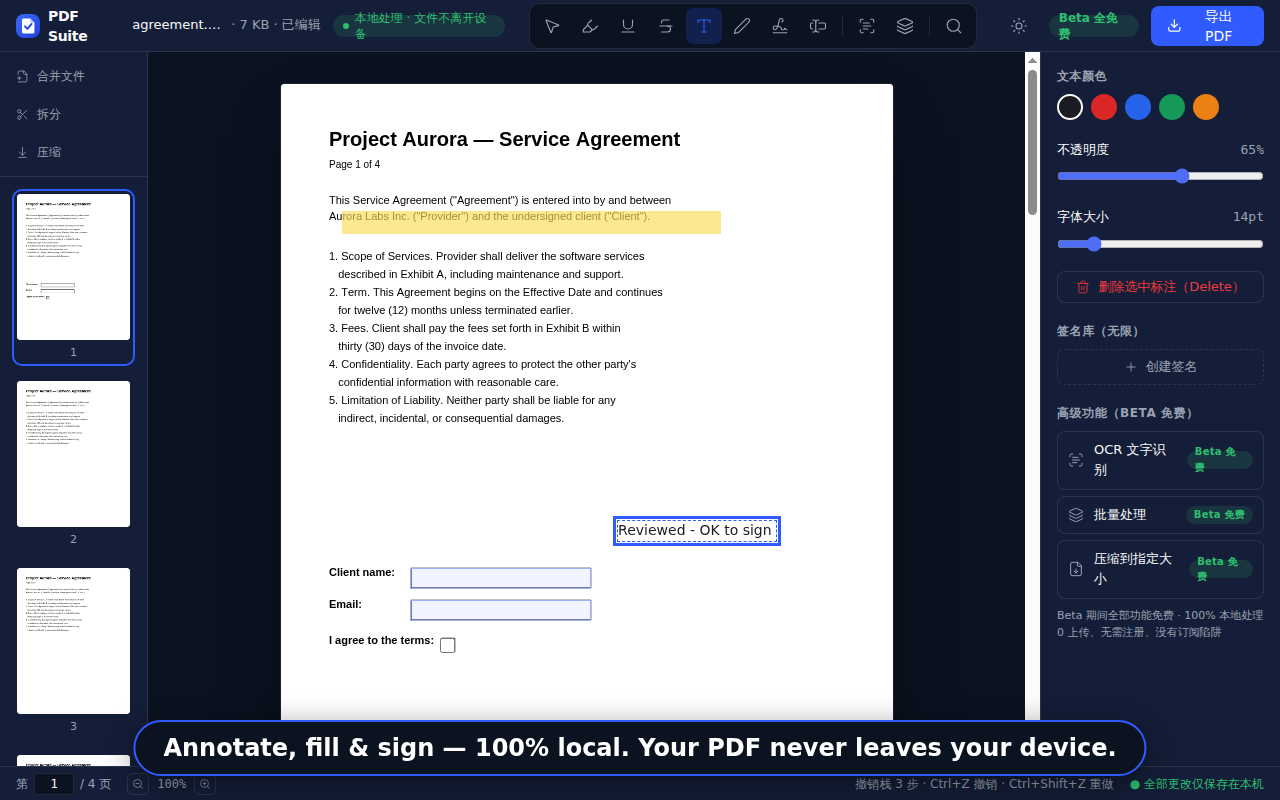
Open and annotate PDFs right in your browser
Privacy without compromise, features without cuts: the same local engine as the web tools — viewing, annotating and page management happen on your device, no uploads. Chrome Web Store listing in preparation.
- Local processing · no uploads
- No watermark
- Free during the beta
Fast: local, no queue
Open a local PDF from the toolbar icon — no sign-in, no upload queue. Viewing, annotating and page management all happen on your device.
Private: no extra permissions
Requests only storage and context-menu permissions — no browsing history, no page content. Opening a web PDF asks for your permission per site. Files are never uploaded.
Free (Beta)
Everything in the extension is free during the beta — no watermark, no hidden paywall; limits are stated on the page.
Linked to the tools
For heavy lifting — merge, compress, OCR, AI summary — jump straight to the matching free tool page.
Listing status
- Extension code ready (MV3 · local pdf.js rendering)
- Store listing materials prepared (copy / screenshots / permissions)
- Submit for review once the developer account is open
- Live on the Chrome Web Store (install link appears here)
Want to be notified when it launches? Email us ↗