
How to make a PDF smaller for email
Gmail caps attachments at 25MB, Outlook commonly at 20MB, many corporate servers at 10MB. Three ways to get your PDF under the limit — compress, split, or extract pages — all in your browser.
Know your limit first
Gmail rejects attachments over 25MB, Outlook.com over 20MB, and many corporate mail servers cut off at 10MB — often counting all attachments together, plus encoding overhead of roughly a third. A safe rule of thumb: aim for 70% of the stated limit.
You have three tools for getting under it, in order of preference: compress the whole file, split it into parts, or extract only the pages the recipient actually needs.
Option 1: compress (usually enough)
If the PDF contains photos or scans, compression alone often cuts it by half or more. Use a target-size mode and enter your mail limit directly — e.g. 9MB for a 10MB server — instead of guessing with quality presets.
Options 2 and 3: split or extract
If the file is a long scan that will not compress far enough (the tool tells you the reachable floor before you run it), split it into two or three parts and send them in separate mails — or better, extract just the relevant pages. Both operations run locally in your browser too.
Step by step
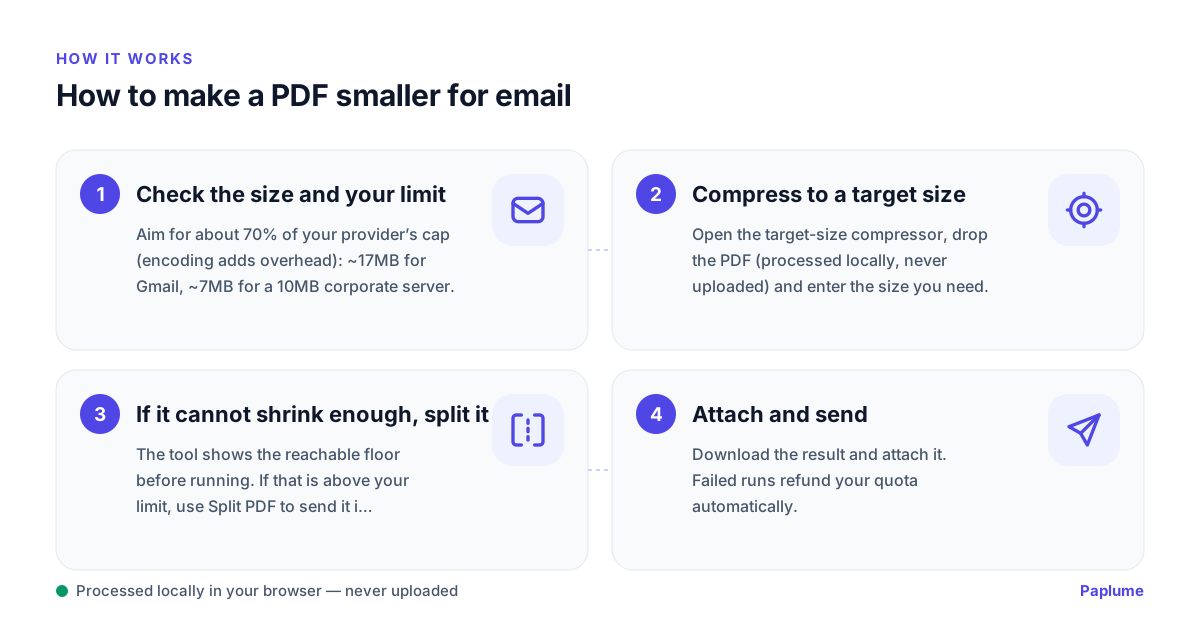
- 1
Check the size and your limit
Aim for about 70% of your provider’s cap (encoding adds overhead): ~17MB for Gmail, ~7MB for a 10MB corporate server.
- 2
Compress to a target size
Open the target-size compressor, drop the PDF (processed locally, never uploaded) and enter the size you need.
- 3
If it cannot shrink enough, split it
The tool shows the reachable floor before running. If that is above your limit, use Split PDF to send it in parts, or extract only the needed pages.
- 4
Attach and send
Download the result and attach it. Failed runs refund your quota automatically.
FAQ
Why did my 20MB PDF bounce on a 25MB limit?
Mail encoding (base64) inflates attachments by roughly a third, and some servers count the whole message. Aim for ~70% of the stated limit.
Is compressing better than a file-transfer link?
For business mail, an attachment under the limit is usually more reliable than a link that may be blocked or expire. Compress first; use links only for very large files.
Is my PDF uploaded during compression?
No. Compression, splitting and page extraction all run locally in your browser — verify in DevTools → Network. Free during Beta with a daily quota shown up front.