
How to convert a bank statement PDF to Excel — without uploading it
Bank statements are the last file you should upload to a random website. Here is how to convert a statement PDF to Excel locally in your browser, free during Beta — plus honest limits for scanned statements.
Why this file deserves extra care
A bank statement contains your account number, balance and every transaction you made. Most "PDF to Excel" websites process files on their servers — that may be fine for a flyer, but a statement is exactly the document you should not hand to an unknown server.
Paplume’s bank-statement converter parses the PDF entirely in your browser. The file never leaves your device — verify it in DevTools → Network while it runs.
What it extracts, and what it honestly cannot
The converter reads the PDF text layer, detects the transaction table (dates, descriptions, debit/credit, balance — including US, European and day-first date formats), and writes a clean Excel sheet.
The honest limit: it needs a text layer. A scanned or photographed statement has none — run it through OCR first, and know that OCR accuracy on dense tables varies. If parsing fails, your quota is refunded automatically.
Step by step
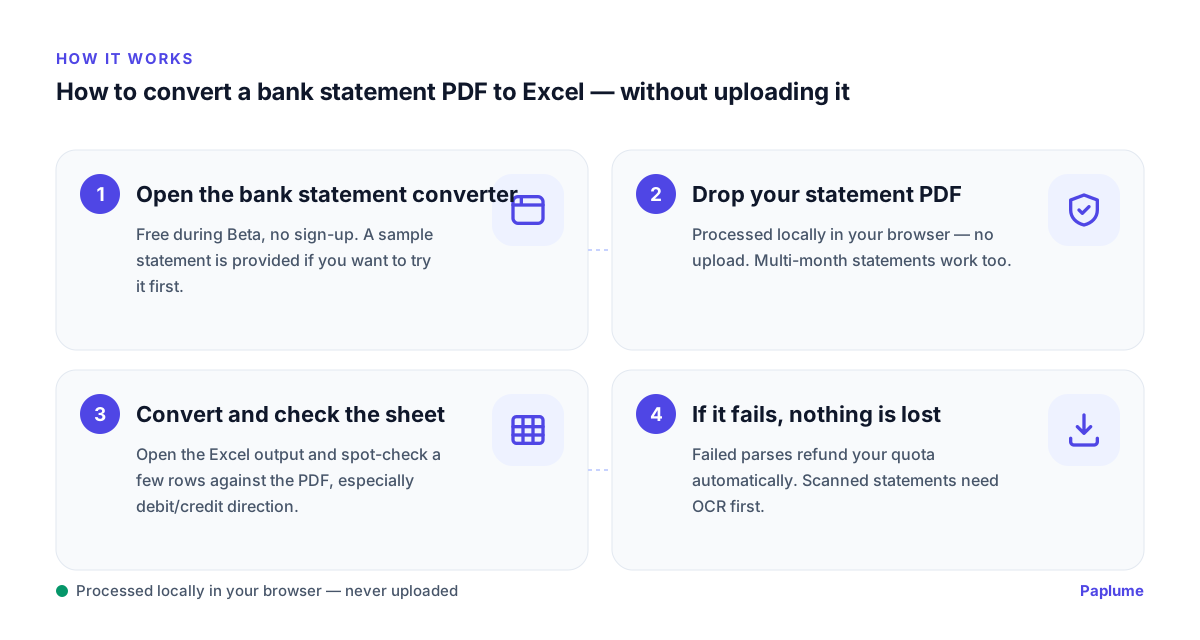
- 1
Open the bank statement converter
Free during Beta, no sign-up. A sample statement is provided if you want to try it first.
- 2
Drop your statement PDF
Processed locally in your browser — no upload. Multi-month statements work too.
- 3
Convert and check the sheet
Open the Excel output and spot-check a few rows against the PDF, especially debit/credit direction.
- 4
If it fails, nothing is lost
Failed parses refund your quota automatically. Scanned statements need OCR first.
FAQ
Is my statement uploaded anywhere?
No. Parsing runs locally in your browser — open DevTools → Network during conversion and you will see no file upload.
My statement is a scan or photo — will it work?
Not directly: there is no text layer to parse. Run OCR first to add one, then convert. Accuracy depends on scan quality.
Which banks and formats are supported?
The parser is format-based, not bank-specific: it handles common date formats (ISO, US month-first, European day-first) and standard debit/credit layouts. Unusual layouts can still fail — in which case your quota is refunded.